


























A clearer way to

See your spending

Track transactions, organise receipts, and understand where your money goes with SpendixAI.

₹ INR$ USD€ EUR£ GBP
Total income₹75,000↑ 8% this month
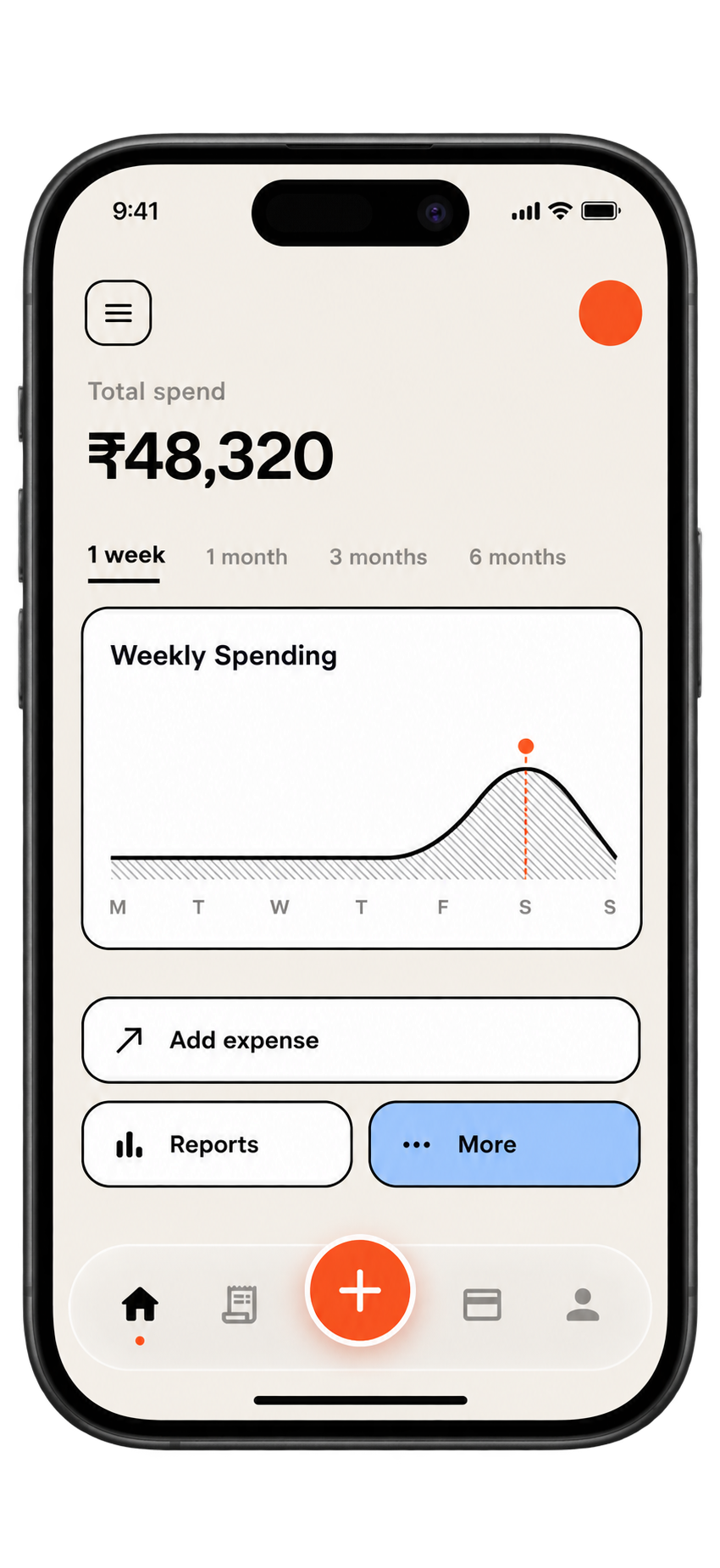
SpendixAI mobile spending overview, using the current app theme
Total spend₹48,320Track it clearly
CategoriesAll in one view

Ask your assistant where your money went

SpendixAI keeps your transactions, receipts and reports in one place. Connect Claude, ChatGPT, Cursor or any of 42 assistants over MCP and ask about your spending in plain words.

Start a 7-day free trial 7 days of Pro, claimed from Billing. No card needed.
See how to connect each one

Every rupee, finally clear

Drop in a statement, search, budget and ask your AI, all in one calm place. The screens are real; the household is made up.

Everything You Need — All in One Powerful Platform

Bring your financial records together and turn everyday transactions into a useful picture of your spending.

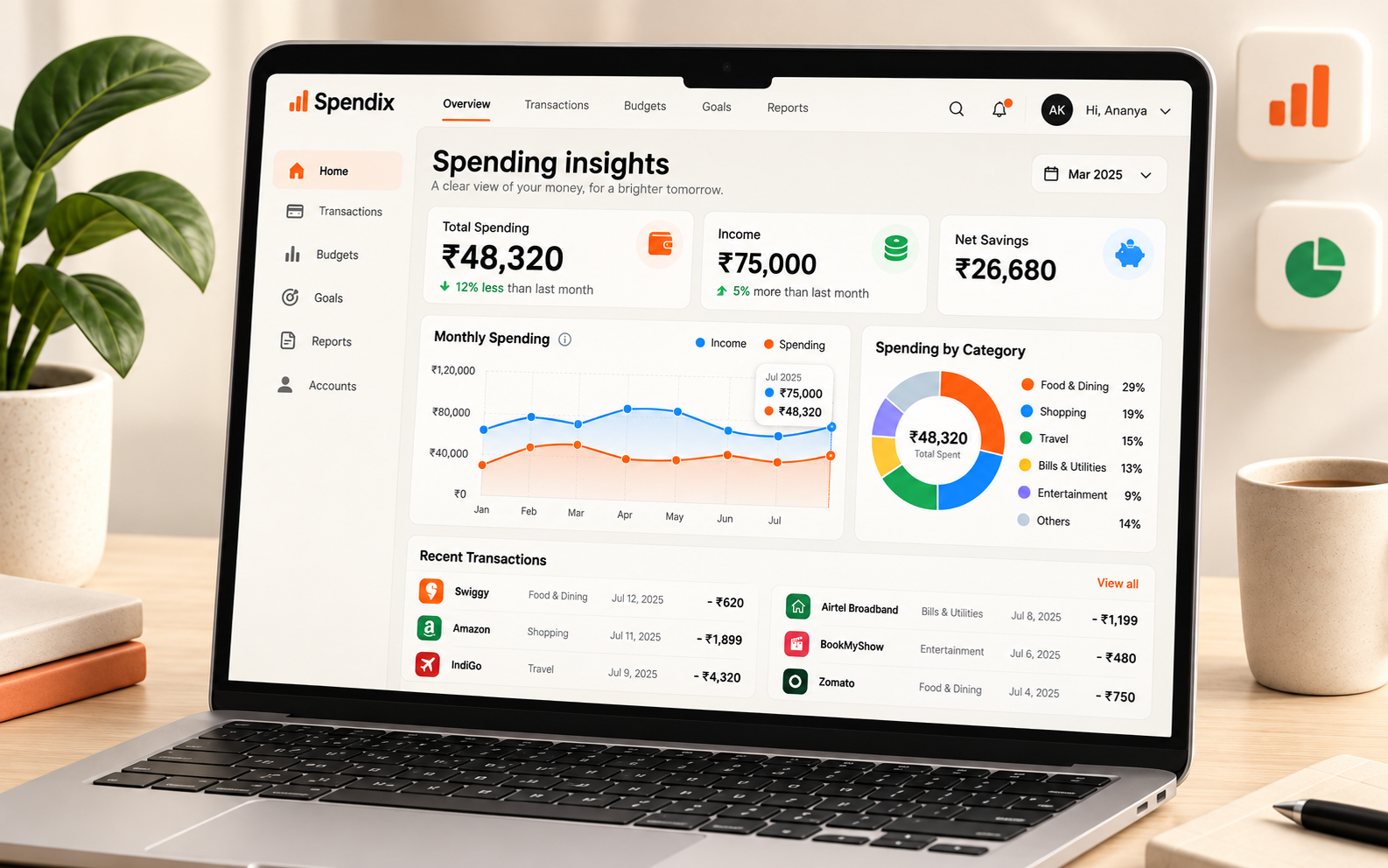
Spending insights

See where your money goes with dashboards, categories, and trends that make your expenses easier to understand.

  • Stay on top of your finances with clear dashboards
  • Track income, expenses, and spending trends
  • Review categories and account activity
  • Use reports to understand what changed
Learn More
Spending insights · November
Total spend₹48,32021% vs last month
Income₹75,000On track
Net savings₹26,68035% saved
Food & Dining
₹14,380
Shopping
₹8,960
Travel
₹7,420
Bills
₹5,900

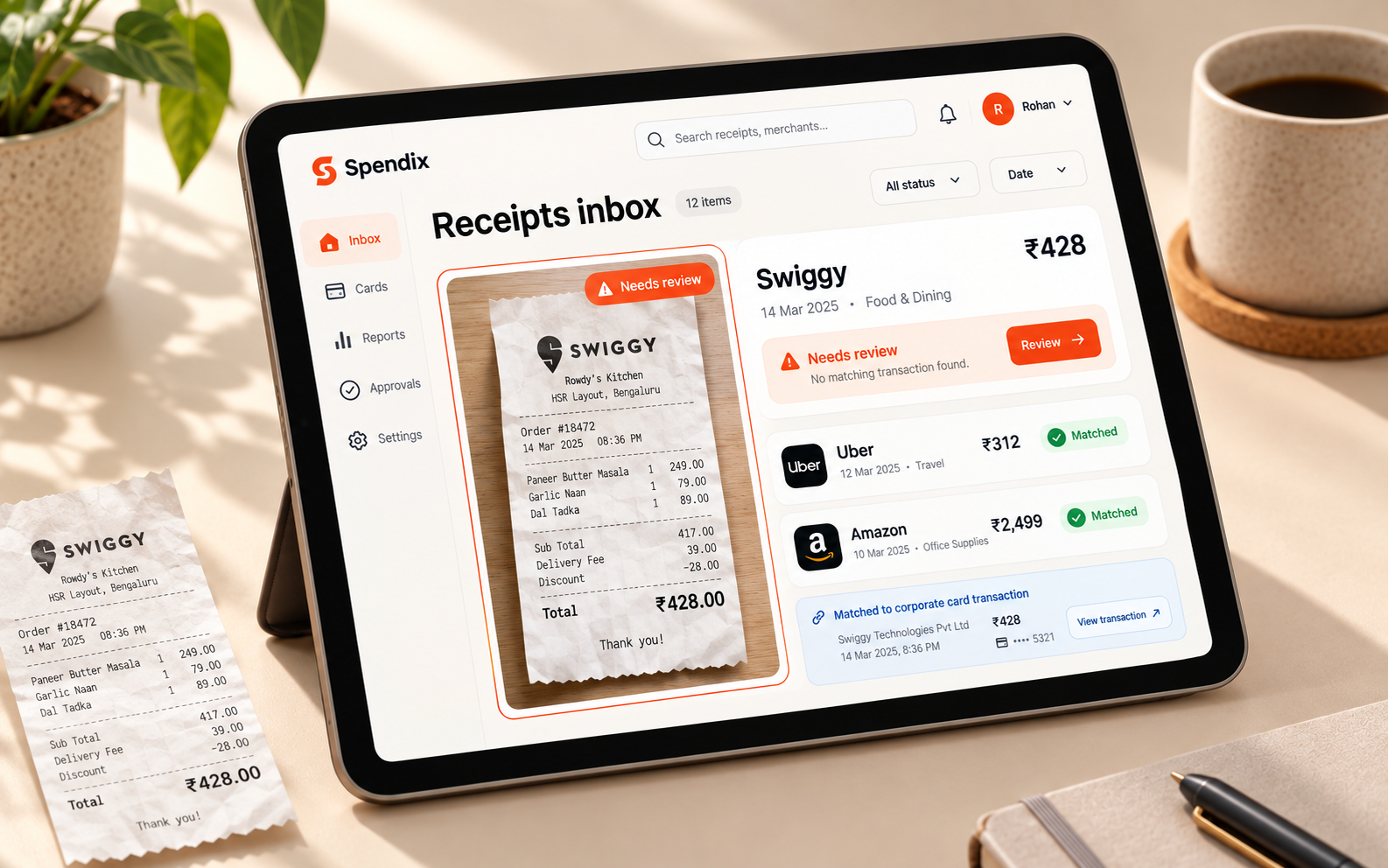
Receipt organisation

Keep receipts together with your transactions and review what still needs attention.

Learn More
Drop receipts hereor forward by email
Swiggy14 Nov · Food
₹489Matched
Uber13 Nov · Travel
₹312Matched
Croma12 Nov · Shopping
₹6,490Needs review
BigBasket11 Nov · Groceries
₹1,240Matched

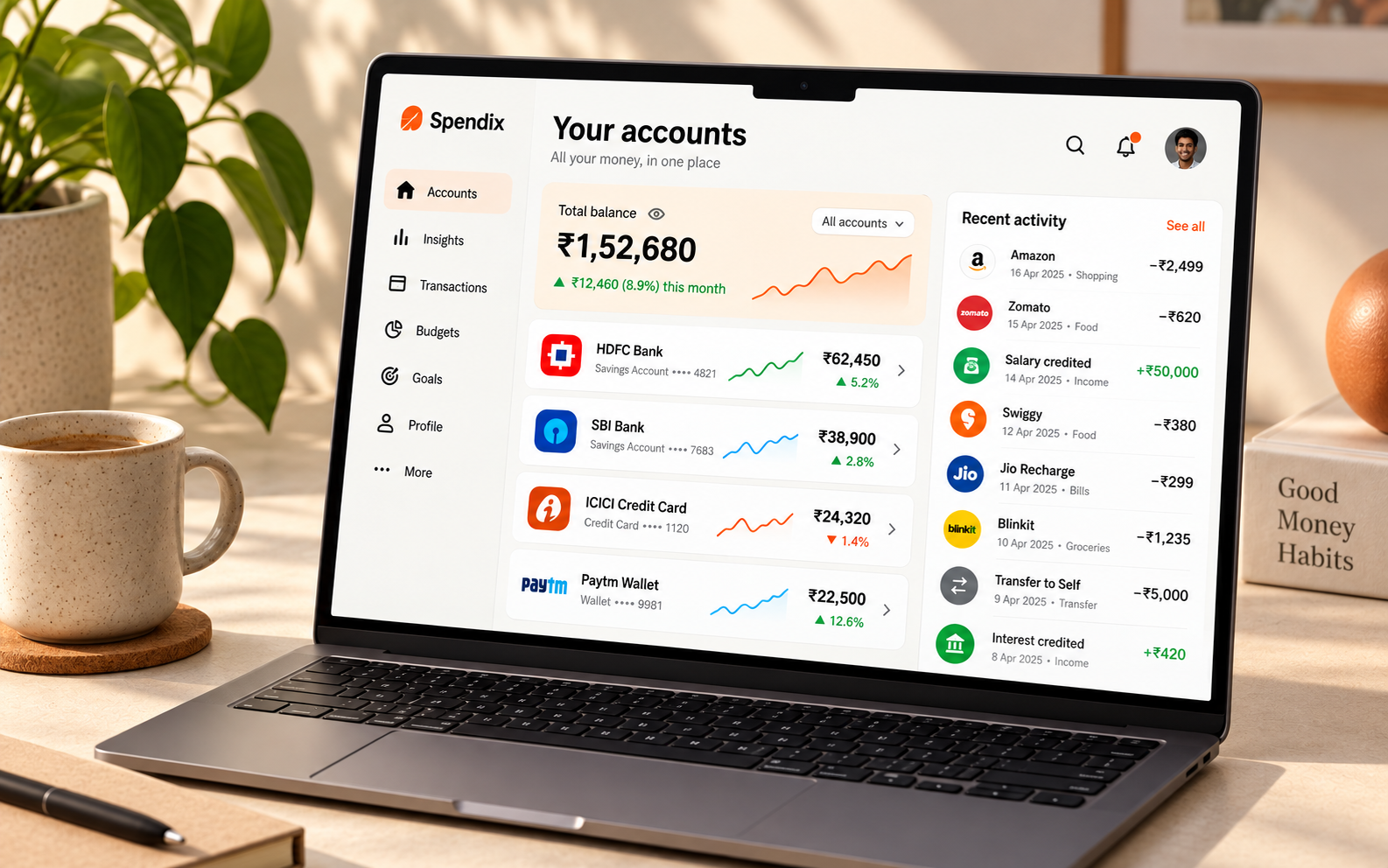
Account overview

Organise accounts in one place and see their activity alongside your spending.

Learn More
Net across accounts₹1,09,030+₹8,400 this month
HDFC SavingsBank · •• 5521
₹1,24,300
ICICI Credit CardCard · •• 1044
−₹18,420
Cash walletCash · Manual
₹3,150

Illustrative example

Ask your money questions with MCP

Connect Claude or ChatGPT to your SpendixAI workspace. Ask about spending, add records with permission, and decide what your assistant can access.

Learn More
AI assistant + SpendixAI Connected
What did I spend last month?
SSpendixAI dataIllustrative example

You spent ₹48,320 this month. Food & Dining was your largest category.

Food & Dining₹14,380
Shopping₹8,960
Travel₹7,420
Read only access · You approve what is shared

Keep the details of your spending close, understandable, and easy to review as your financial picture grows.

01

Your workspace

Your transactions, receipts, and reports stay together in your SpendixAI account.
Your workspace
02

Clear account controls

Manage the accounts and financial records that appear in your workspace.
Clear account controls
03

Review with confidence

Check imported transactions and receipts before relying on them in your reports.
Review with confidence

See trends, categories, and changes over time without wrestling with a spreadsheet.

A clear picture of your spending helps you make the next decision with confidence.

See the activity across your accounts and keep the records that matter close at hand.

Bring transactions, categories, receipts, and reports together in one workspace.

Get started in Minutes No Paperwork, No Stress.

Create your account, add your transactions, and start seeing your spending clearly.

Woman reviewing her finances on a tablet at home
Monthly spending₹48,320Example preview
01

Create Your Account

Continue with Google and your workspace is ready. It’s fast, secure, and only takes a minute.

02

Add Your Transactions

Import a statement or add expenses as they happen to build your spending history.

03

Explore Your Dashboard

Review trends, categories, accounts, and reports from one place.

One Pro toolkit.
Three ways to make it yours.

Start free, or choose Pro for your personal workspace. Monthly, yearly and lifetime include the same Pro tools. New accounts can claim a 7-day Pro trial from Billing, with no card needed. Prices below are for India (INR).

01

Free

A simple place to start

₹0to start
  • 200 transactions each month
  • Dashboard, insights and spending trends
  • Accounts, default India categories and merchant clean-up
  • EMI tracker with reminders, plus borrowed and lent records
  • 150+ currencies and 150+ languages (menus in 22)
  • API keys for your own tools
  • AI assistant (beta): 10 AI credits a month
  • Google sign-in
Get started free
02

Pro Monthly

A flexible way to get started

₹99/ month
  • Everything in Free
  • 2,000 transactions each month
  • Statement import from PDF, CSV, Excel and images, with automatic categories
  • Budgets with alerts, recurring bills and savings goals
  • 25 ready-made reports and a custom report builder
  • Connect Claude or ChatGPT with MCP
  • AI assistant (beta): 300 AI credits a month, and top up any time
  • Tax and GST summary for your accountant
  • CSV exports of transactions, categories and reports
  • Personal and business split with advanced filters
  • One personal workspace
Get started
04

Pro Lifetime

One payment. No recurring charge.

₹24,999one time
  • Everything in Free
  • 2,000 transactions each month
  • Statement import from PDF, CSV, Excel and images, with automatic categories
  • Budgets with alerts, recurring bills and savings goals
  • 25 ready-made reports and a custom report builder
  • Connect Claude or ChatGPT with MCP
  • AI assistant (beta): 300 AI credits a month, and top up any time
  • Tax and GST summary for your accountant
  • CSV exports of transactions, categories and reports
  • Personal and business split with advanced filters
  • One personal workspace
Get started

See full pricing details and FAQ

iOS purchases are handled by the App Store. Monthly and yearly plans renew automatically unless cancelled in your App Store account. Lifetime is a one-time purchase and does not cancel an existing subscription. AI credit packs are separate.

Built for everyday
money decisions

SpendixAI helps turn a stream of transactions into a picture you can understand and use.

Bring income, expenses, and account activity into one clear dashboard.

↗
See the whole pictureSpendixAI

Categories and trends show where your money goes over time.

◉
Understand your spendingSpendixAI

Review receipts alongside the transactions they belong to.

▤
Keep receipts organisedSpendixAI

Turn transaction records into summaries you can actually act on.

▥
Make reports usefulSpendixAI

Good reads.
Better money habits.

Original guides, useful examples and a clearer way to think about everyday spending. Explore the journal

Editorial illustration for The two-minute evening entry: a routine that survives tired days
Money tips4 min read

The two-minute evening entry: a routine that survives tired days

A tracking routine small enough to survive a long day, built around one short evening sitting and a few honest rules about what counts as done.

Editorial illustration for Rent paid before salary: build a trustworthy payment record
Budgeting4 min read

Rent paid before salary: build a trustworthy payment record

Document rent paid ahead of payday with a clear service month, payment reference and remaining balance, so the same commitment is never counted twice.

Editorial illustration for A retirement spending plan that leaves room for uneven months
Budgeting4 min read

A retirement spending plan that leaves room for uneven months

Separate regular living costs from repairs, family support and other uneven expenses when planning retirement spending.

Got Questions? We’ve Got Answers

Still have a question?

Get in touch and tell us what you need.

Contact us

Yes. You can organise transactions under different accounts and review them together.

A clearer view of money,
one step away

Bring your spending into focus with a workspace built for transactions, receipts, and useful insights.

Get started
Illustrative spending insights
Illustrative receipt match
SpendixAI