Import instead of typing
Drop in your monthly statements and let SpendixAI read, match and categorise the transactions.
Salary arrives, bills leave, and by the end of the month it is hard to say where the rest went. SpendixAI turns your statements into a clear picture without a spreadsheet.

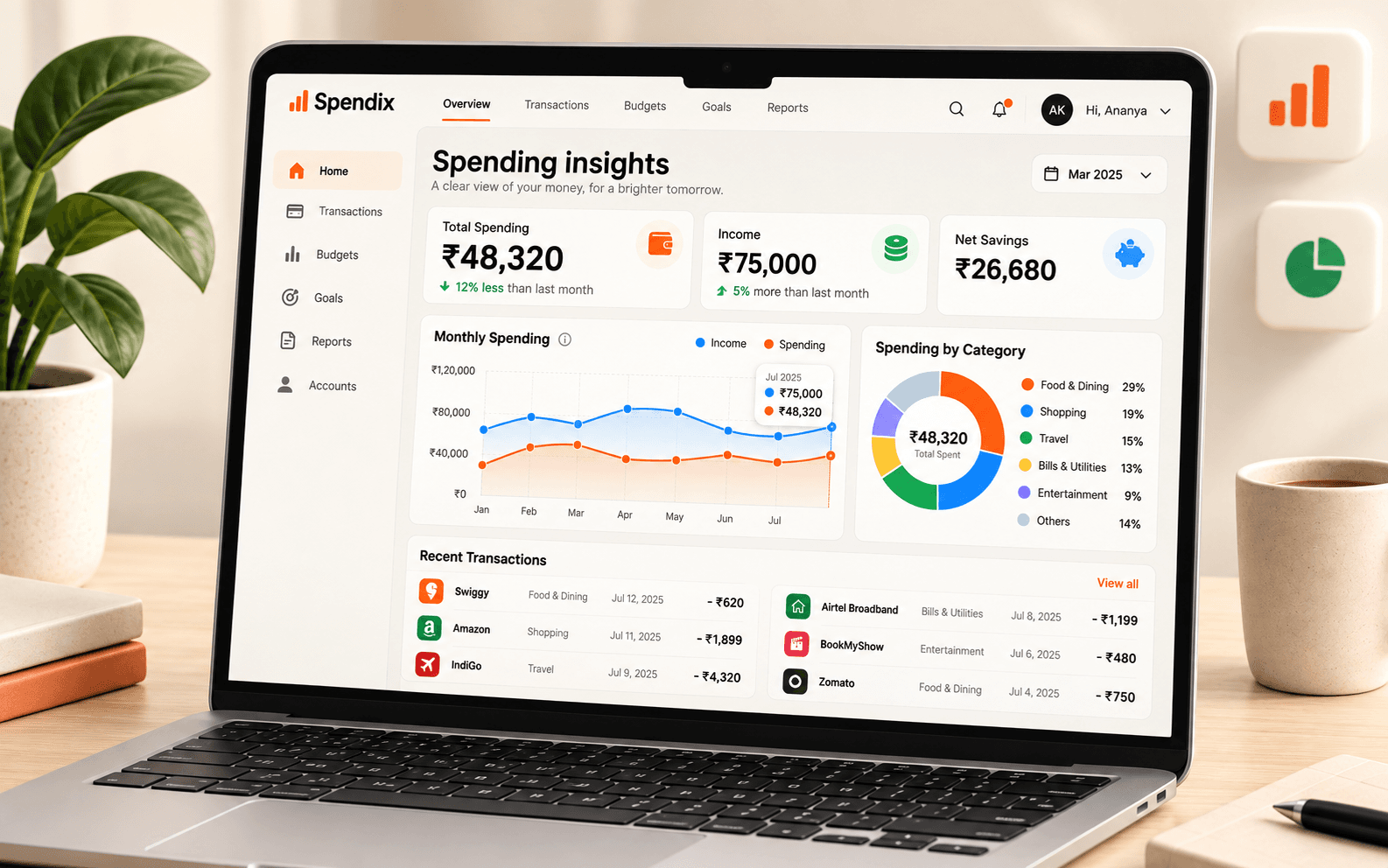
Drop in your monthly statements and let SpendixAI read, match and categorise the transactions.
The dashboard and Insights show your spend trend, top categories and top merchants at a glance.
The savings rate and cash-flow reports show how much of your income you actually save.
Four small steps, once a month.
Download last month’s statements and import each one into the right account.
Clear uncategorised items. Correct a category once and it is remembered.
Open the dashboard, check the top categories and look at your savings rate.
Cancel a subscription, trim a category, or move a fixed amount into savings.
Each one is answered by a report in the Report library, built from your own transactions.
Open the “Top expense categories” report.
Open the “Savings rate by month” report.
Open the “Average daily burn” report.
Open the “Recurring charges” report.
Open the “Day-of-week pattern” report.
Open the “Uncategorised aging” report.
No. SpendixAI never asks for your net-banking login. You import statements you download yourself.
Yes. The Free plan includes statement import, default categories, the dashboard and insights.
About twenty minutes. The monthly money review checklist on the blog walks through it.
A step-by-step routine for turning PDF, CSV and Excel bank statements into a clear expense record, with categories, accounts and duplicates handled.
Read articleNeeds, wants and savings in a simple split. See how to check the rule against your own categories instead of guessing.
Read articleOne short routine each month keeps your records clean and your decisions informed. Follow this checklist using your statements and reports.
Read article
Small recurring charges add up. Use your transaction history to list every subscription, see its yearly cost and decide what to keep.
Read articleCreate your account with Google and import your first statement.